
Export invoices
Multi-currency commercial invoices with ports, terms of delivery, marks & numbers and bank details on one A4 page.
Create export invoices, GST tax invoices and packing lists as professional PDFs, track pending payments, and keep your accounts, all on your own PC.
Free installer · Windows 10 / 11 · Version 1.0.46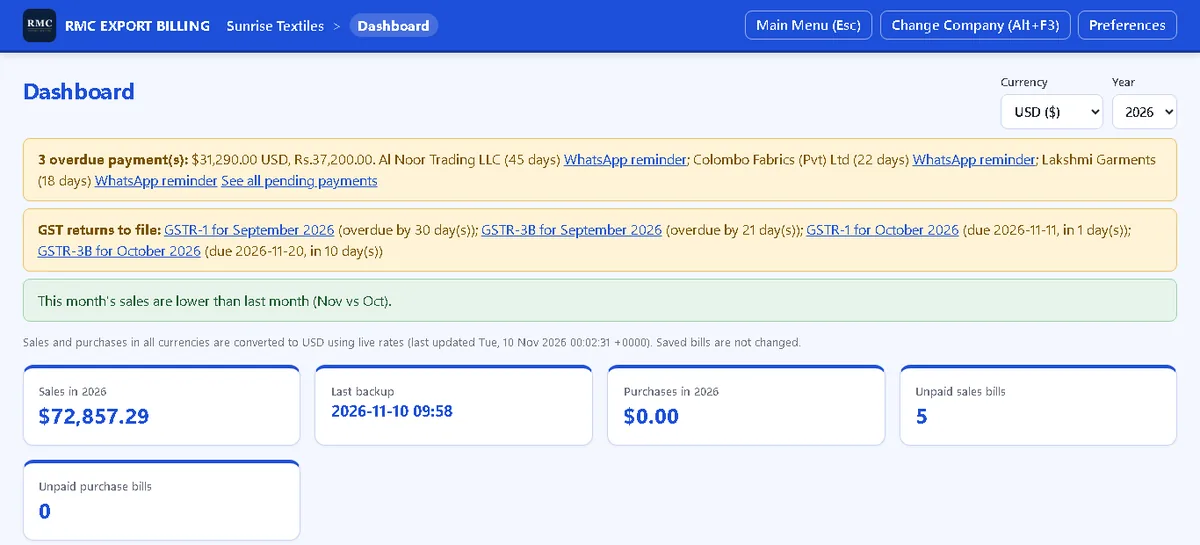
One app for your export and domestic billing, from the first invoice to the balance sheet.
Multi-currency commercial invoices with ports, terms of delivery, marks & numbers and bank details on one A4 page.
Sales bills with HSN codes and automatic CGST, SGST or IGST, credit and debit notes, and a GST summary.
A matching packing list PDF for every invoice, with cartons, net and gross weights totalled for you.
A classic tax challan with GST columns and Original, Duplicate and Triplicate copies, or turn it into an invoice.
Save transport details on each invoice, generate the e-invoice and e-way bill through your GSP, and check a GSTIN.
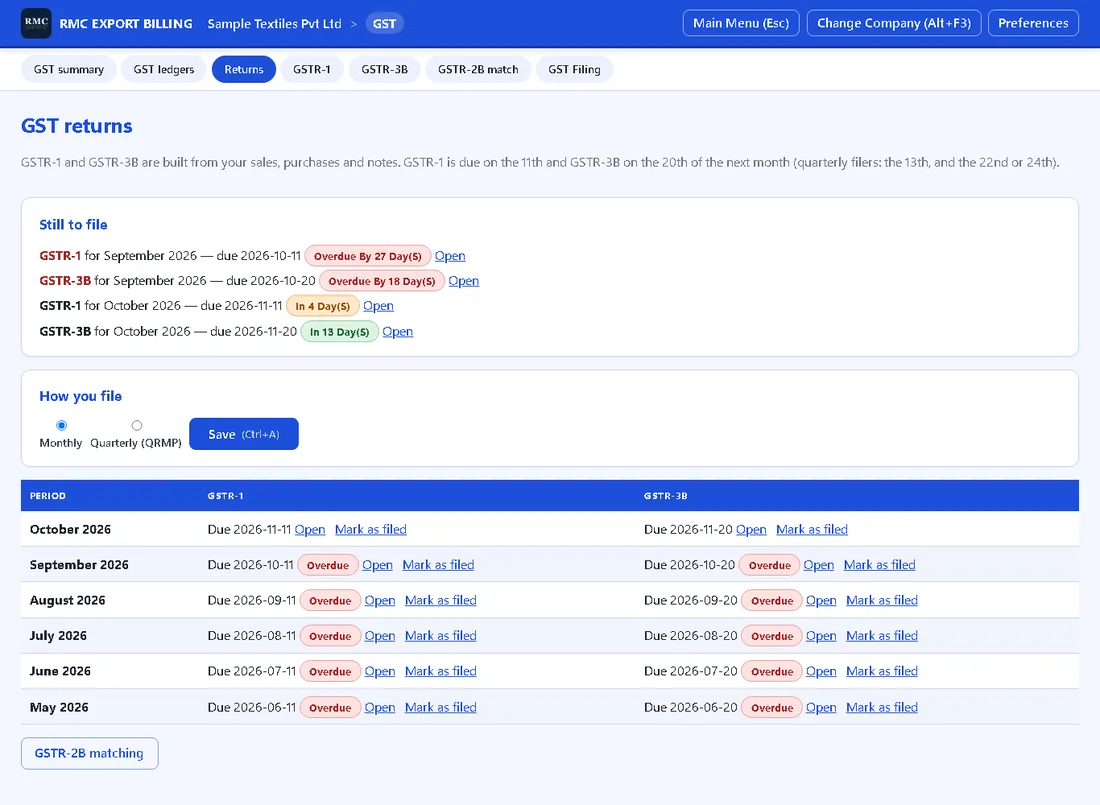
GSTR-1, GSTR-3B and GSTR-2B matching built from your own bills, with due dates, Excel downloads and portal filing.
Ledgers, vouchers, Day Book, Trial Balance, Profit & Loss and Balance Sheet, with bank reconciliation and stock reports.
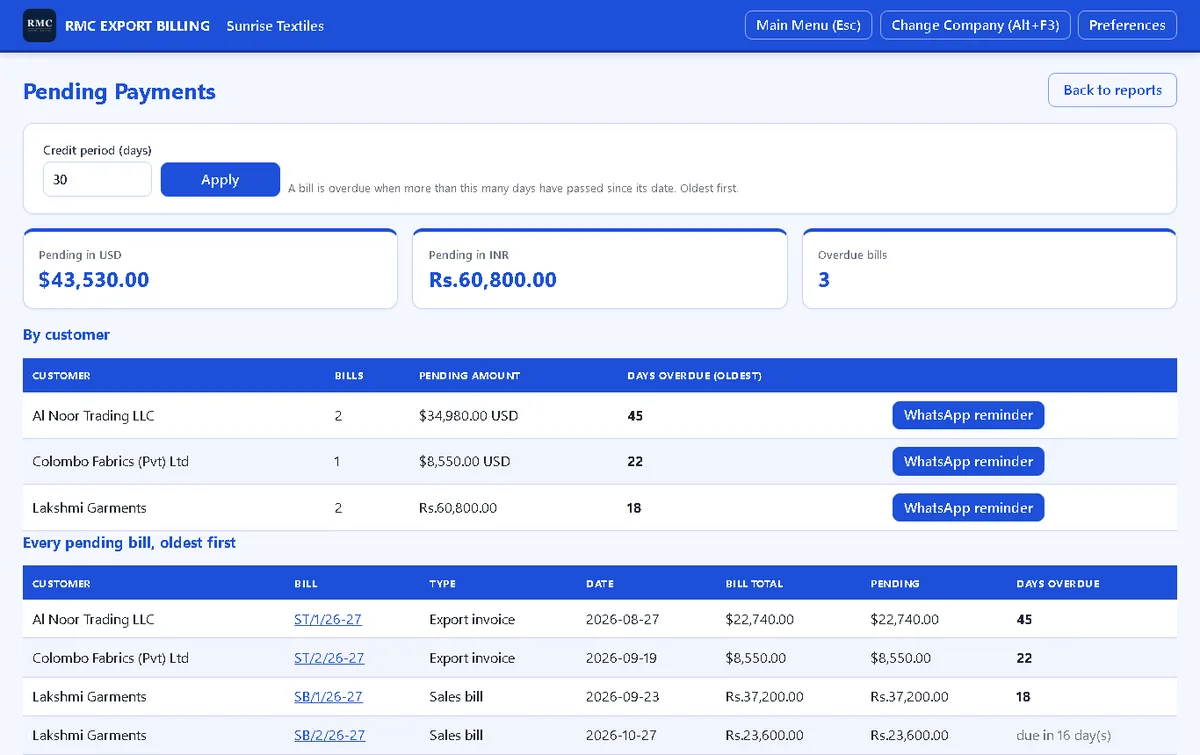
See who owes you and for how long, oldest first, and send a WhatsApp reminder to each customer in one click.
Share any saved invoice on WhatsApp or e-mail the PDF to your customer straight from the app.
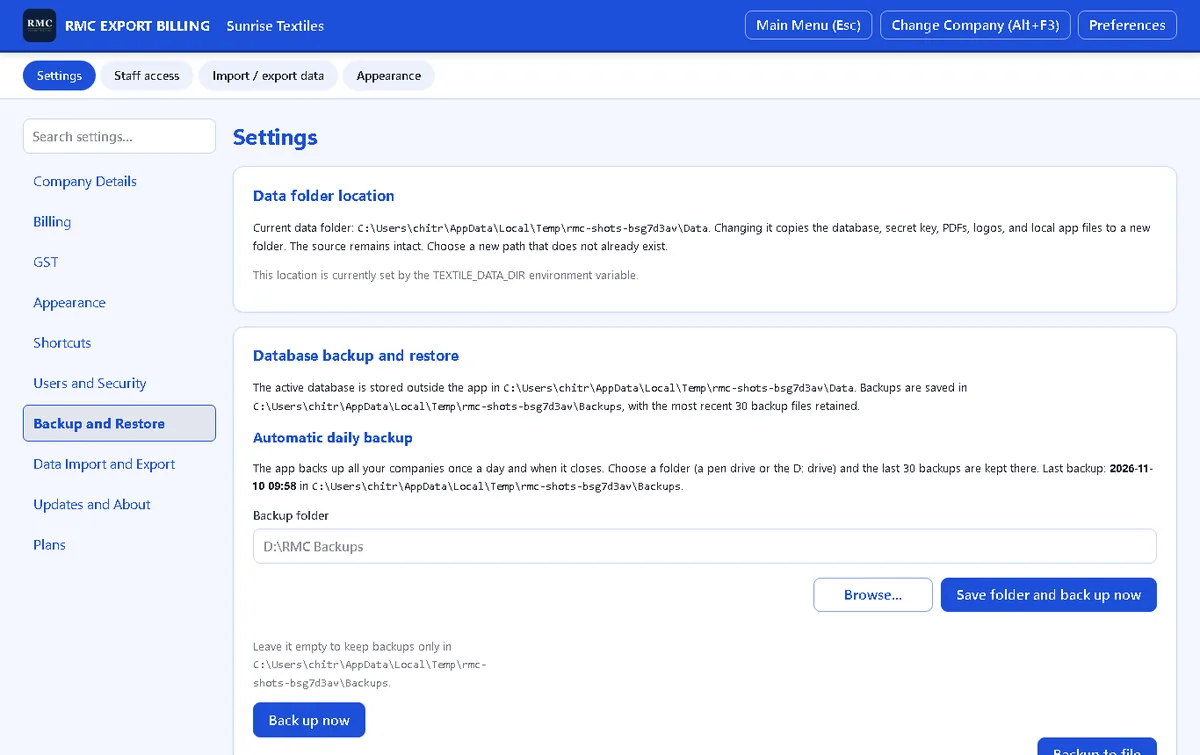
A backup every day and when you close the app, to a folder or pen drive you choose. The last 30 are kept.
Bring in customers, suppliers, items, sales and purchase bills from Tally XML or Excel, with a preview first.
Upload your bank statement (Excel, CSV, text, PDF, even a locked, scanned or photographed one, read offline on your PC) and get a suggested entry for every line: receipts, foreign remittances, payments and charges. You approve, then post.
Type a product name and pick the HSN code and GST rate from an offline list, with a warning if the code is missing, too short or does not match the rate.
Keep every company separate, protect each with a password, and give staff limited access.
Days left on every foreign payment, a “due within 60 days” box, overdue invoices in red, and BRC with bank reference.
Enter the bank’s actual rate and see the gain or loss in rupees, by month and by customer, posted to your books.
Shipping bill, RoDTEP and drawback on each invoice, Pending, Claimed or Received, in one Export Benefits report.
Invoice, packing list, shipping bill, B/L, certificate of origin, insurance and BRC: tick, attach and see “5 of 7 done”.
A 0–100 score for every buyer with Safe, Watch or Risky badges and tips like “paid late 3 times — consider advance”.
Add freight, CHA, insurance and other costs to an export invoice and see the real profit in rupees and %.
How many cartons fit in a 20 ft or 40 ft container, by weight and by space, then add them to the packing list.
Sales, purchases, profit, payments, overdue exports and missing documents on one page, as PDF or on WhatsApp.
Work together on many office computers with one shared company data — no internet needed.
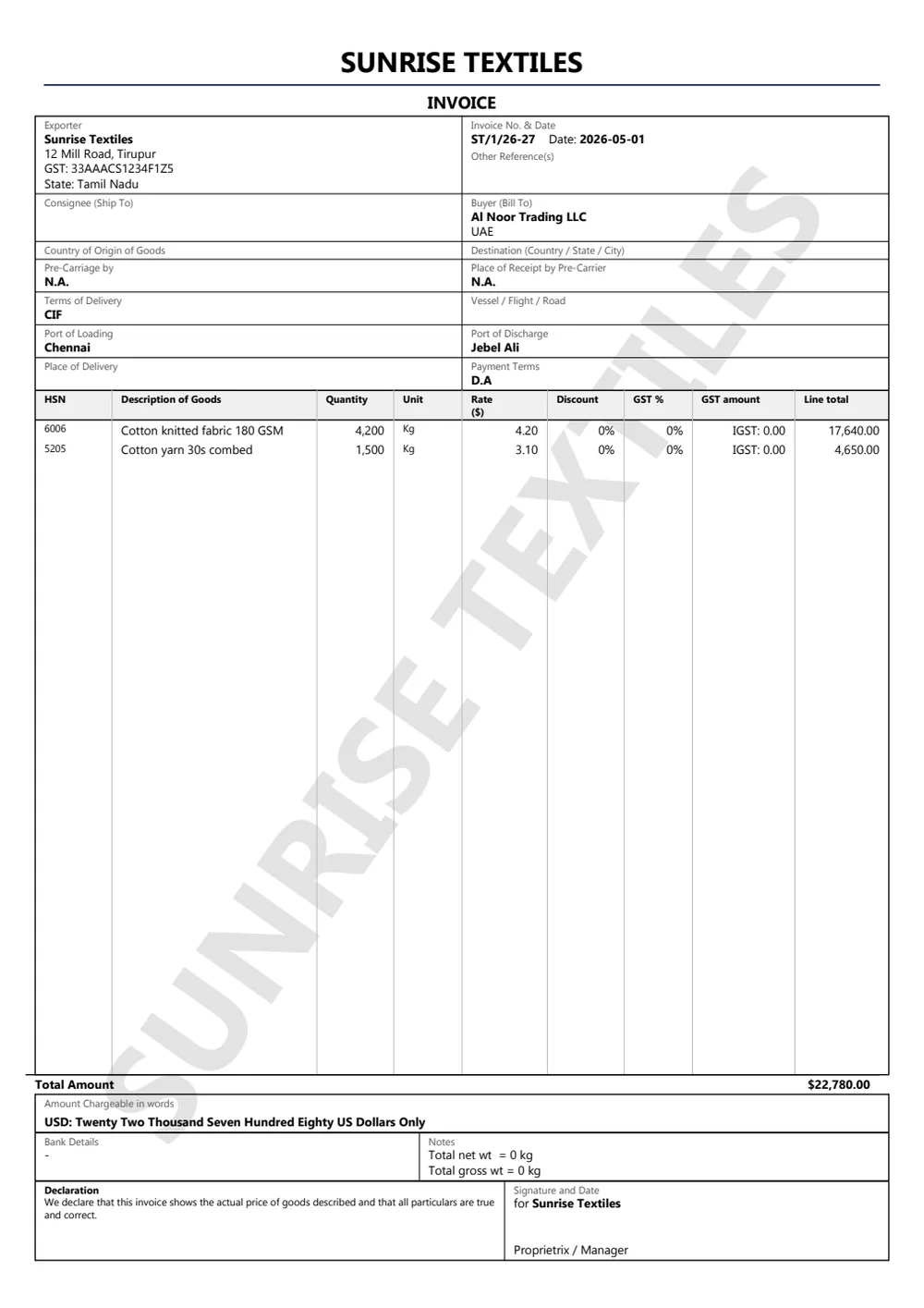
A print-ready A4 export invoice with currency, ports, terms of delivery and bank details, from one entry.
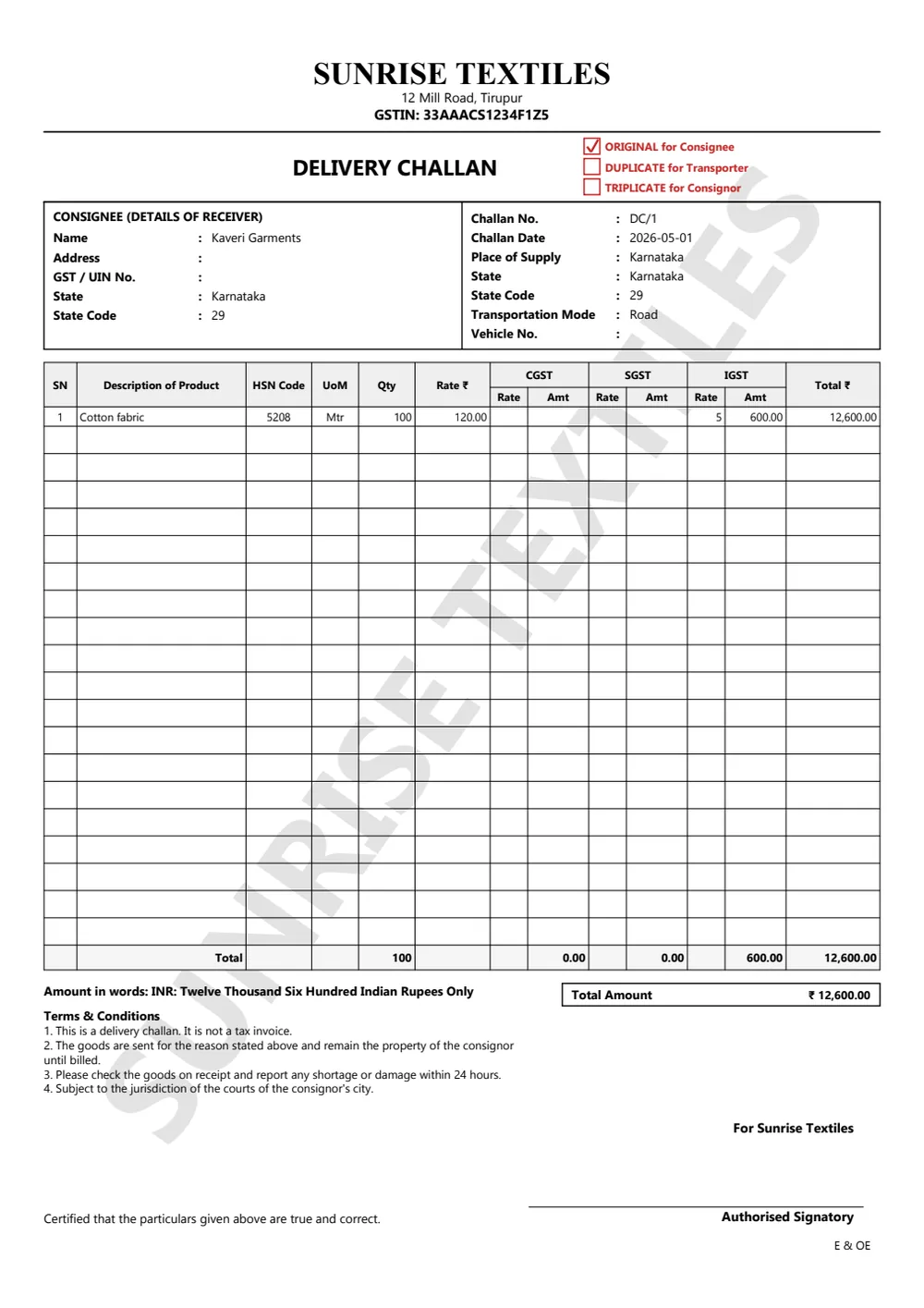
Classic tax challans with GST columns and Original, Duplicate and Triplicate copies, next to a matching packing list for every export invoice.
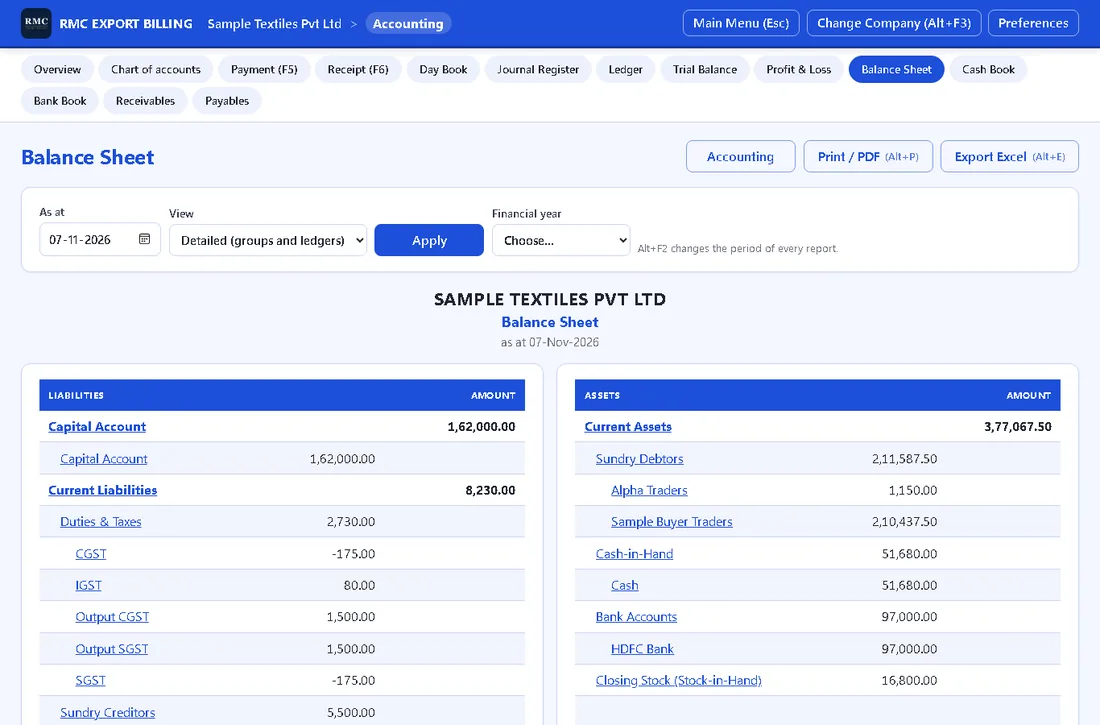
Ledgers, Trial Balance, Profit & Loss and a Balance Sheet you can drill into, plus GST returns.
Sales, overdue payments, GST due dates and your last backup, on one screen.
Four things you will use every week, shown with a sample company and made-up data.
Fill the buyer, goods, freight and packing details once and get a print-ready A4 PDF and a matching packing list.
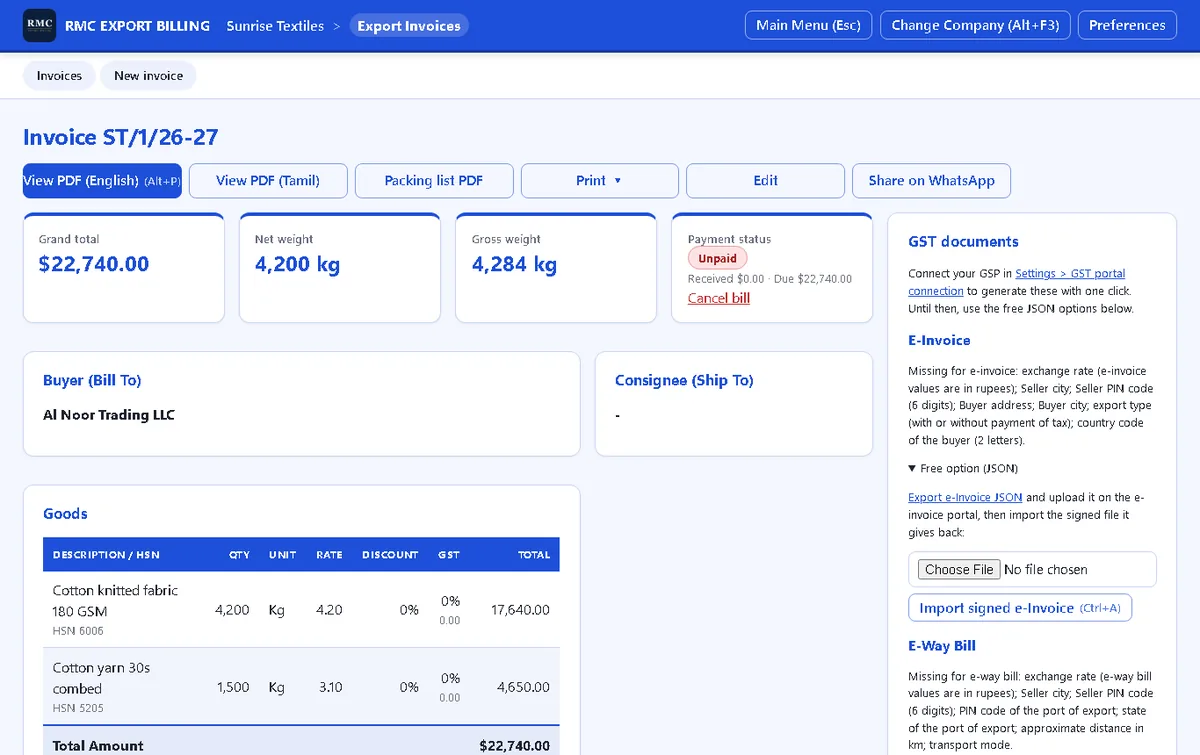
Tax invoices with HSN codes and CGST, SGST or IGST worked out from the buyer's state, with transport details saved on the bill.
Ledgers, vouchers, Day Book, Trial Balance, Profit & Loss and Balance Sheet, with bank reconciliation, stock and a Pending Payments report.
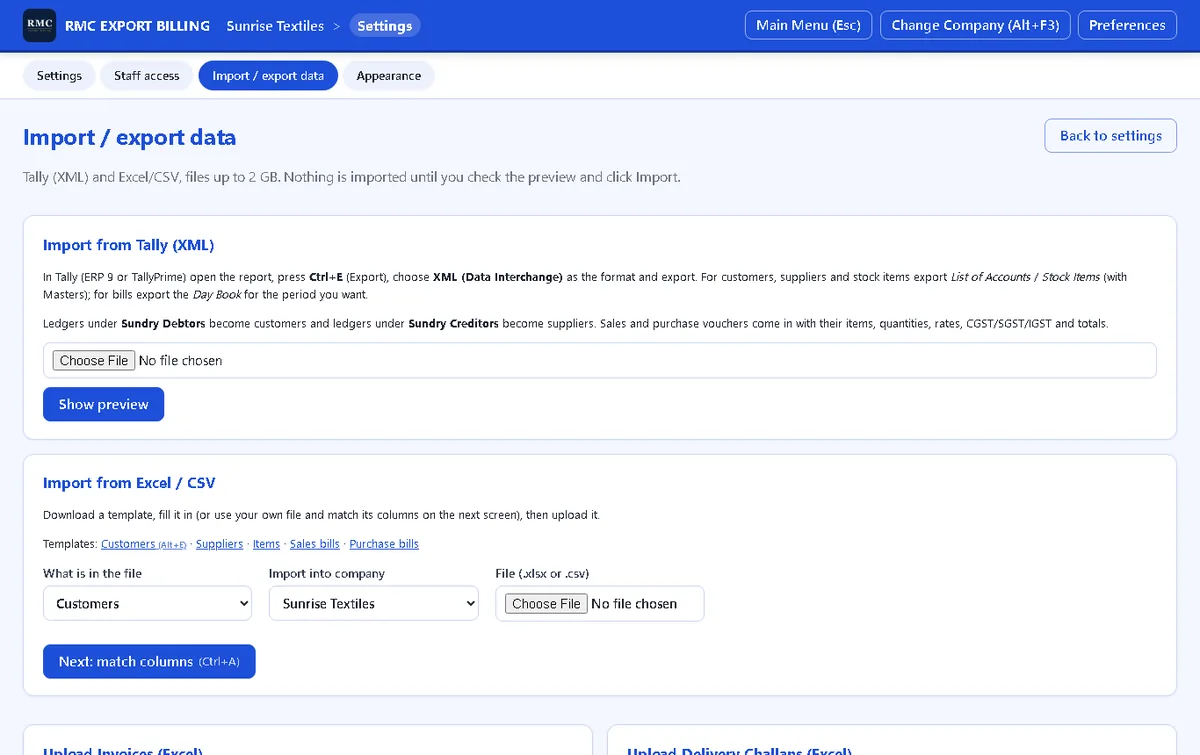
Bring your customers, suppliers, items and bills from Tally XML, and old invoices from Excel files, with a preview before anything is saved.
Make export invoices in any currency, with ports, terms of delivery and bank details, and follow every payment until it reaches your account.
No complicated setup. Most exporters send their first invoice on the first day.
Get the free installer for Windows 10 or 11 and run it. It takes about two minutes.
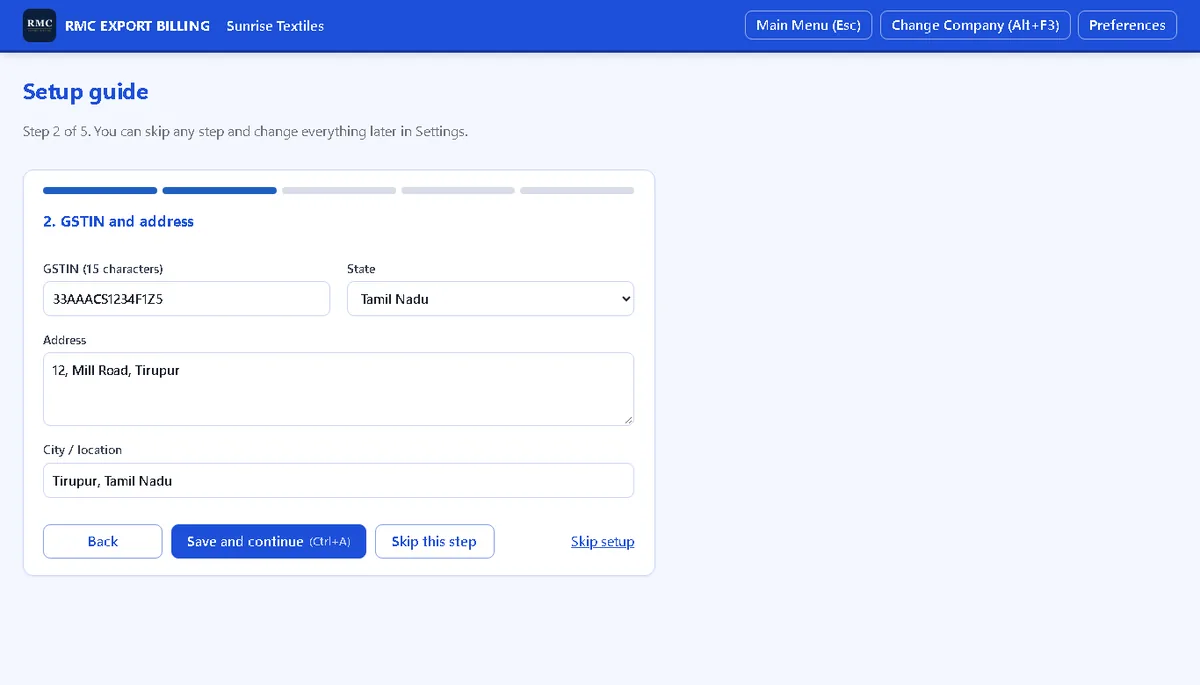
Sign up with your e-mail, then a short guide asks for your company, GSTIN, address, bank details and invoice prefix.
Pick the buyer, add goods, freight and packing details, and get a print-ready PDF. Share it on WhatsApp or e-mail.
Click a picture to enlarge it.
Excel is flexible and fine for a few bills. As your orders grow, doing it by hand costs more time and mistakes.
| RMC Export Billing | Manual Excel billing | |
|---|---|---|
| Export invoice and packing list | ✓ One entry makes both as professional A4 PDFs | Two sheets to re-type and format |
| GST (CGST, SGST, IGST) and HSN | ✓ Worked out for you from the buyer's state | Your own formulas, easy to break |
| Invoice numbers | ✓ Automatic by financial year, no duplicates | Typed by hand, easy to repeat or skip |
| Customers and items | ✓ Saved once and reused | Copied and pasted again and again |
| Who has not paid | ✓ Pending Payments report with WhatsApp reminders | Tracked in a separate list, if at all |
| GST returns | ✓ GSTR-1 and GSTR-3B built from your bills | Typed again for the portal |
| Accounting reports | ✓ Ledgers, Trial Balance, Profit & Loss, Balance Sheet | Not available |
| E-invoice and e-way bill | ✓ Details saved on each invoice, ready for your GSP | Not available |
| Backups | ✓ Automatic daily backup, last 30 kept | Copy the file yourself and hope you remember |
| Several people | ✓ Staff logins with limited access | One shared file, risk of overwriting |
| Cost | ✓ Free Basic plan, every feature free during launch | Free, but costs you time every day |
Every feature is free during launch. Paid plans are coming soon; the Basic plan stays free. See the full comparison and the Refund and Cancellation Policy.
Everything to start billing
Export tools and custom branding
Every feature, with priority support
Need more computers on your office network than your plan allows? Add extra computers to any paid plan.
Price per computer per month: coming soon
Download now and use everything for free. Your bills, customers and items stay on your own PC. Compare every feature →
What exporters say about RMC Export Billing.
Your review is checked by us before it appears on this page. Thank you for sharing your experience.
Quick answers to the questions we hear most.
Nothing else is needed: Python and everything the app uses are included.
This is normal for new software that is not code-signed yet. Click More info in the blue window, then click Run anyway. The installer then starts as usual.
Your bills, customers, products and accounts are saved only on your own computer, not on our servers. The app makes an automatic daily backup to a folder you choose (for example a pen drive) and keeps the last 30 backups. Our server stores only your login account details and plan information. Read the Privacy Policy.
Yes. Creating invoices, PDFs, accounting and reports all work without internet. You need internet only to sign up, receive login codes, fetch live currency rates, send e-mail from the app and connect to the GST portal.
Yes. All features are free during the launch period. Paid plans (Premium and Exclusive) are planned for later; the free Basic plan with the core features, Multi-PC for up to 5 computers and 2 companies will remain. See the plans and the Refund and Cancellation Policy.
Yes. Import customers, suppliers, items, sales and purchase bills from Tally XML, and old invoices from Excel files, with a preview before anything is saved and an Undo button. See how to import from Tally.
Yes. Multi-PC office networking lets many office computers work on one shared company data, like Tally: one PC (the Main PC) keeps the data and the other PCs on the same office network work on it together, with safe saving, no repeated bill numbers and no internet needed. Your bills stay inside your office.
Windows 10 or Windows 11 (64-bit), 4 GB RAM and about 200 MB of free disk space. An internet connection is needed for sign-up, login codes and live currency rates.
Message us on WhatsApp at 9600133247, write to chitravelrmc2008@gmail.com, or open the User Guide. We answer Monday to Saturday, 10 AM to 7 PM IST.
Free download for Windows. Export invoices, GST billing and accounts on your own PC.
Free DownloadQuestions? Chat with us on WhatsApp or contact us.